

🎯 Introducció
A l’hora de publicar vídeos al portal educatiu Portaledu, molts docents es troben amb el problema que els vídeos no es poden pujar perquè superen el límit de 30 MB per arxiu. Este límit està establit per evitar col·lapses en els servidors i garantir la fluïdesa de la càrrega per part de l’alumnat.
Este article explica com comprimir vídeos de manera eficaç tant en Windows com en LliureX (Linux), mantenint una qualitat acceptable i garantint la compatibilitat amb el navegador.
⚠️ Problema detectat
Quan es puja un vídeo gran a Portaledu, pot aparéixer aquest error:
Media error: Format(s) not supported or source(s) not found
Això sol ocórrer per:
- Mida superior a 30 MB
- Format o còdec incompatible
- Vídeo sense pista d’àudio
✅ Solució: comprimir vídeos correctament
🖥️ En Windows (PowerShell + FFmpeg)
Cal tindre ffmpeg.exe i ffprobe.exe en una carpeta com C:\videos\ffmpeg\bin, i després executar el següent script:
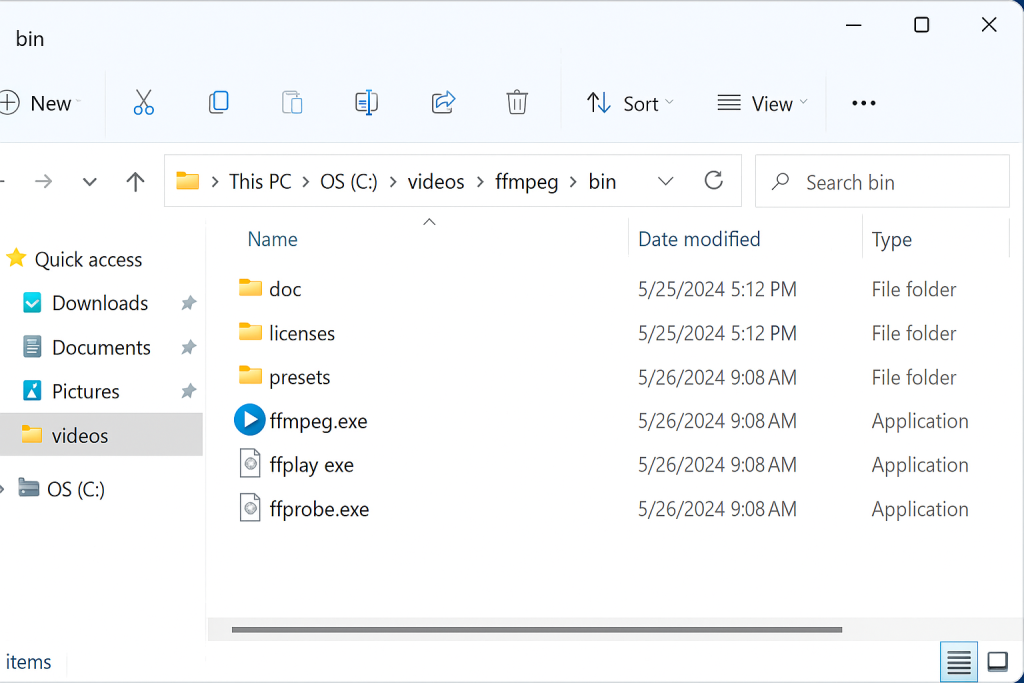
Captura de ffmpeg.exe en carpeta C:\videos\ffmpeg\bin.
$basePath = "C:\videos\TODO"
$outputBase = "C:\videos\30M"
$targetSize = 30 * 1024 * 1024
$videoExtensions = "*.mp4", "*.mov", "*.avi", "*.mkv"
$ffmpegPath = "C:\videos\ffmpeg\bin\ffmpeg.exe"
$ffprobePath = "C:\videos\ffmpeg\bin\ffprobe.exe"

function Compress-Video {
    param ([string]$inputPath, [string]$relativePath)

    $outputDir = Join-Path $outputBase (Split-Path $relativePath -Parent)
    if (!(Test-Path $outputDir)) { New-Item -Path $outputDir -ItemType Directory | Out-Null }

    $baseName = [System.IO.Path]::GetFileNameWithoutExtension($inputPath)
    $outputPath = Join-Path $outputDir "${baseName}_30M.mp4"
    $duration = & $ffprobePath -v error -show_entries format=duration -of default=noprint_wrappers=1:nokey=1 "`"$inputPath`""

    $attempt = 1; $maxAttempts = 5; $success = $false; $qualityFactor = 0.9
    while (-not $success -and $attempt -le $maxAttempts) {
        $bitrate = [math]::Floor(($targetSize * 8 * $qualityFactor) / [double]$duration / 1000)
        & $ffmpegPath -y -i "`"$inputPath`"" -vf "scale=1280:-2" -c:v libx264 -b:v "${bitrate}k" `
            -maxrate "${bitrate}k" -bufsize "${bitrate}k" -c:a aac -b:a 96k -ac 2 -movflags +faststart "`"$outputPath`"" 2>$null

        if (Test-Path $outputPath) {
            $realSize = (Get-Item $outputPath).Length
            if ($realSize -le $targetSize) { $success = $true }
            else { Remove-Item $outputPath -Force; $qualityFactor -= 0.15; $attempt++ }
        } else { break }
    }
}
foreach ($ext in $videoExtensions) {
    Get-ChildItem -Path $basePath -Recurse -Filter $ext | ForEach-Object {
        $relativePath = $_.FullName.Substring($basePath.Length).TrimStart("\")
        Compress-Video -inputPath $_.FullName -relativePath $relativePath
    }
}
🐧 En LliureX (Linux) amb Bash i FFmpeg
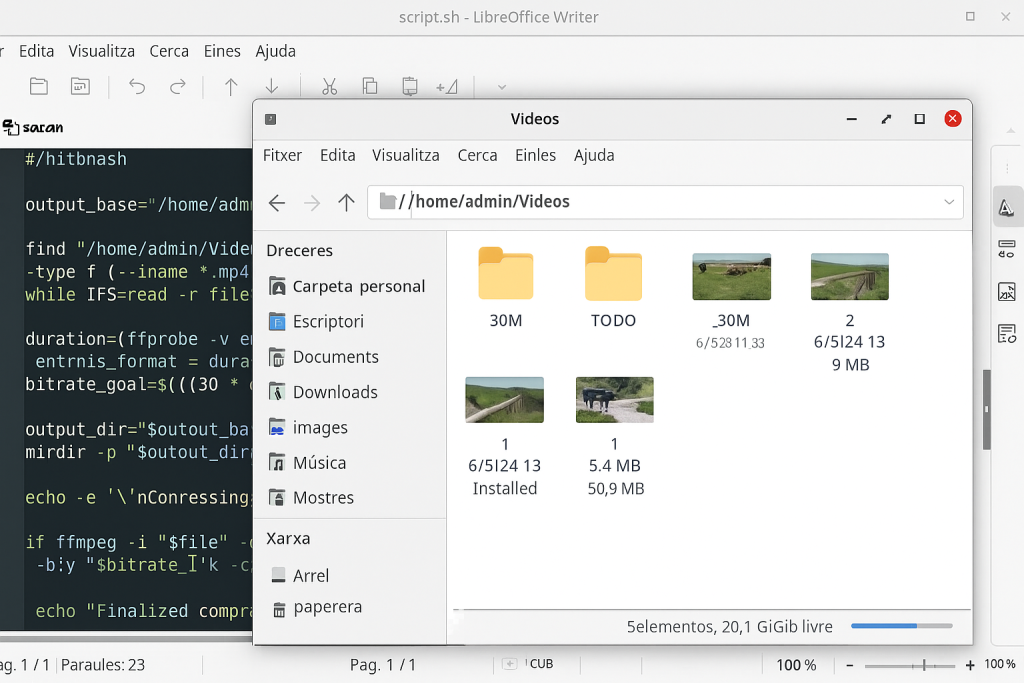
Terminal de LliureX amb FFmpeg en acció.
#!/bin/bash
BASE_DIR="./videos"
EXTENSIONS=("mp4" "mov" "avi" "mkv")

convertir_video() {
    input="$1"
    dir=$(dirname "$input")
    base=$(basename "$input")
    nom="${base%.*}"
    output="${dir}/${nom}_30M.mp4"

    ffmpeg -i "$input" -vf "scale=1280:-2" -c:v libx264 -crf 28 -c:a aac -b:a 96k -movflags +faststart "$output"
}

for ext in "${EXTENSIONS[@]}"; do
    find "$BASE_DIR" -type f -iname "*.$ext" | while read -r file; do
        convertir_video "$file"
    done
done
🧩 Conclusió
Amb aquests scripts, el professorat pot garantir que els vídeos es pugen correctament a Portaledu, complint el límit de mida, mantenint una qualitat visual acceptable i assegurant compatibilitat en qualsevol navegador i dispositiu.
📦 Descarregar scripts per a Portaledu (Windows i Linux)
Inclou:
compressio_portaledu_windows.ps1(PowerShell)compressio_portaledu_linux.sh(Bash)